
Integrations · SMS
Fire Alerts as Text Messages, the Moment They Match
Want alerts to land as a text instead of, or alongside, email? SMS notifications are just as quick to set up.
Quick Answer
SMS is the fastest channel from a standing start: add a number, verify it from the phone, and assign it to an alert. You can add numbers for teammates and management too, up to five in total.
Setting up SMS notifications
Open the SMS integration
Go to Settings → Integrations, find SMS in the list, and click Manage to open your alert phone numbers.
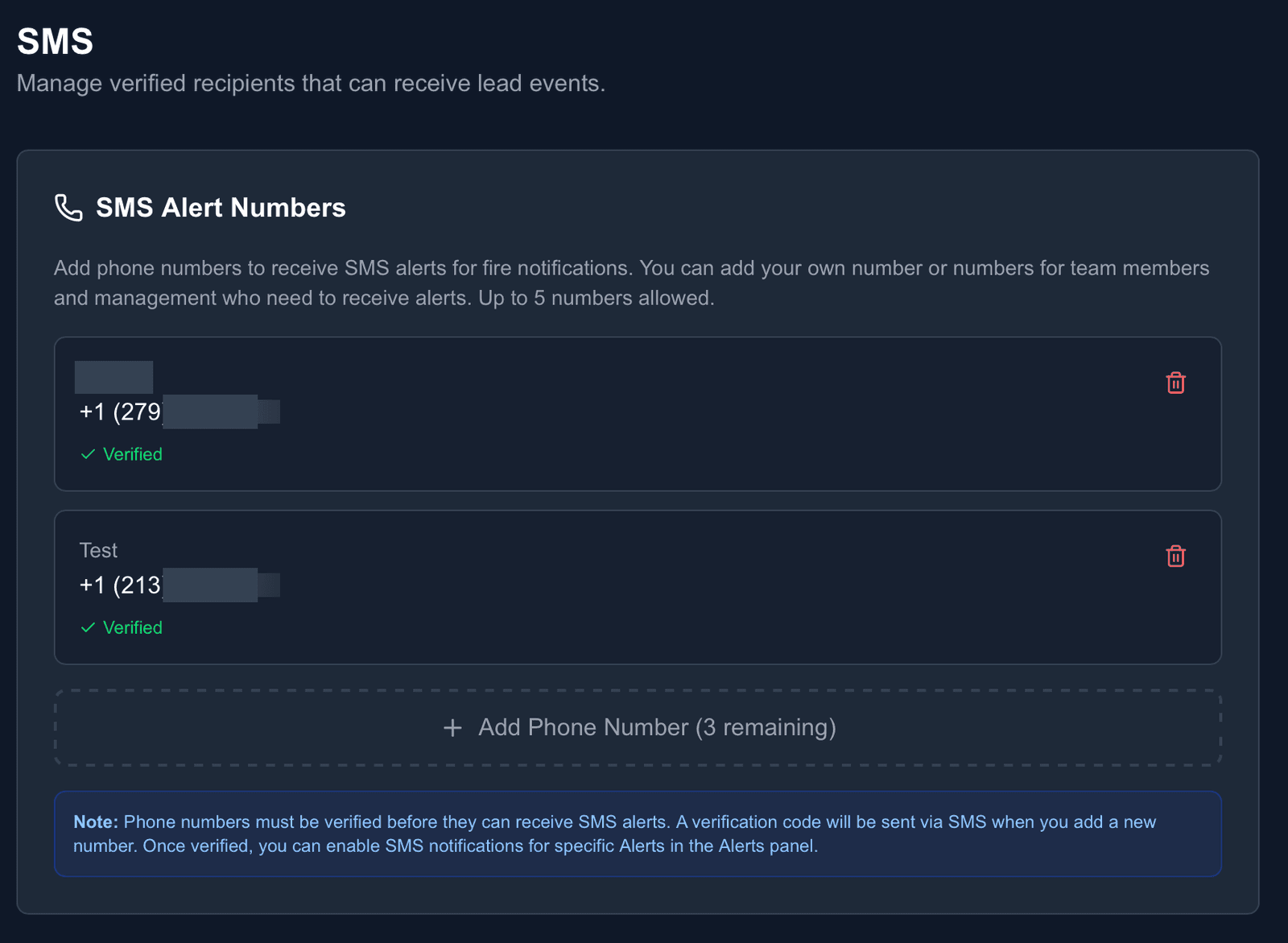
Add and verify a number
Add the phone number, with an optional label to tell numbers apart. FirstLeads sends a verification text: follow it on the phone and the number shows Verified. Unverified numbers cannot receive alerts.
Assign numbers to your alerts
In the Alerts panel, choose which alerts text which numbers. Once a verified number is selected on an alert, texts start arriving as soon as matches come in.
Works with
Be first on scene. Every time.
Book a demo of FirstLeads and get real-time fire and water damage incident alerts for your territory. No contract, no setup fees.
Frequently Asked Questions
Keep exploring
- Slack: the recommended channel for volume
- Choosing events, filters, and frequency
- Email notifications setup
See every connection on the FirstLeads integrations page.