
 Integrations · HubSpot
Every Unlocked Lead, Straight Into HubSpot
If your team runs outreach and pipeline through HubSpot, you don’t have to choose between that workflow and FirstLeads: connect the two and every unlocked lead streams into the CRM your team already lives in.
Quick Answer
You will need a HubSpot account and an active FirstLeads subscription. Once both are in place, the integration takes a few minutes: authorize the connection, pick where leads export to, and map your fields.
Connecting HubSpot in three steps
Connect your HubSpot account
Go to Settings → Integrations, find HubSpot, and click Connect. Sign into HubSpot to authorize, once linked, your portal shows in the list with Manage and Disconnect options.

Choose where leads export to
Pick your Default Export Type: Contacts (best for individual property owners), Companies (best for LLCs, corporations, or property management groups), or Deals (best for sales pipeline tracking). Custom objects are supported if you are on HubSpot Enterprise and have created them there.
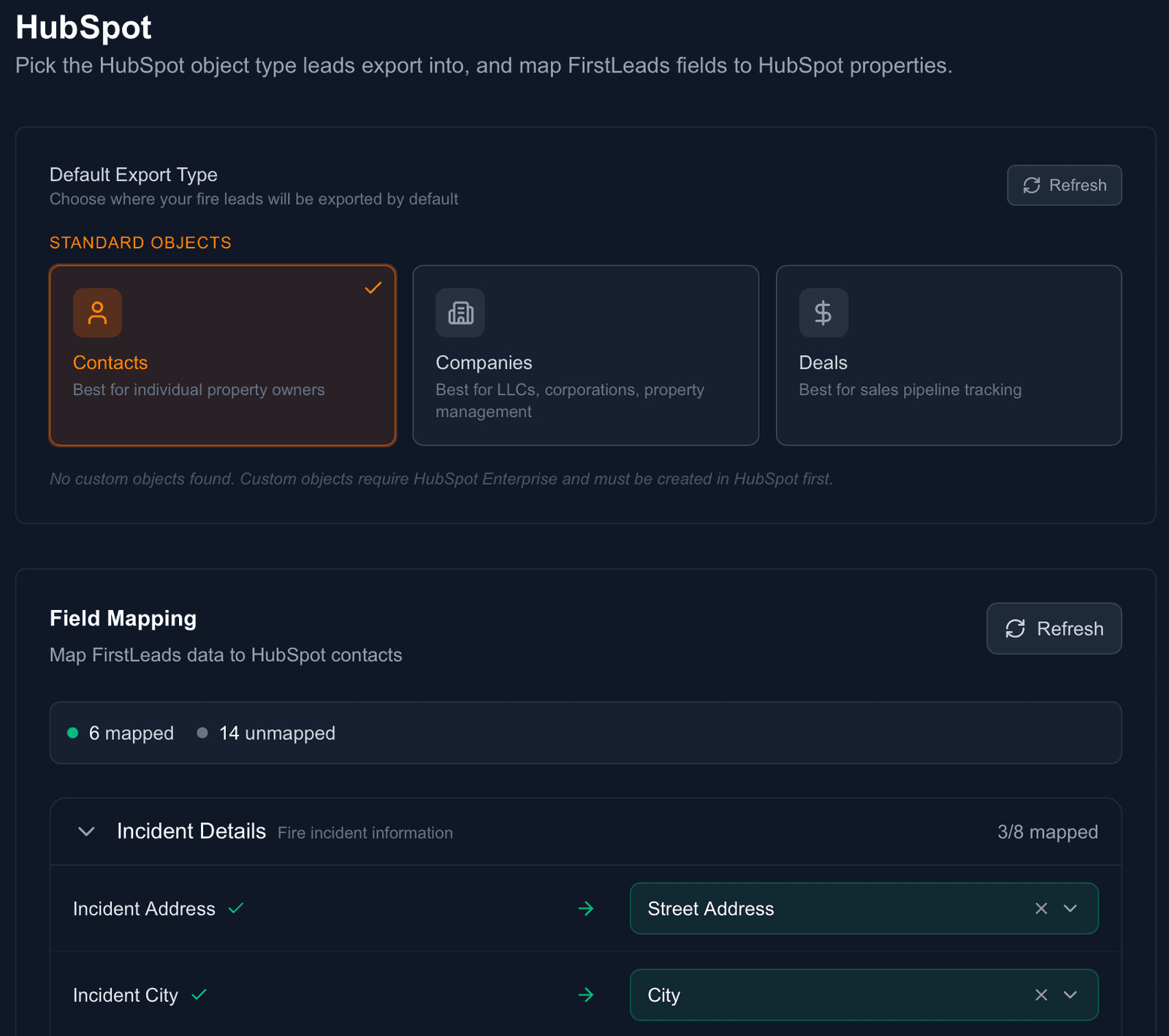
Map your fields and save
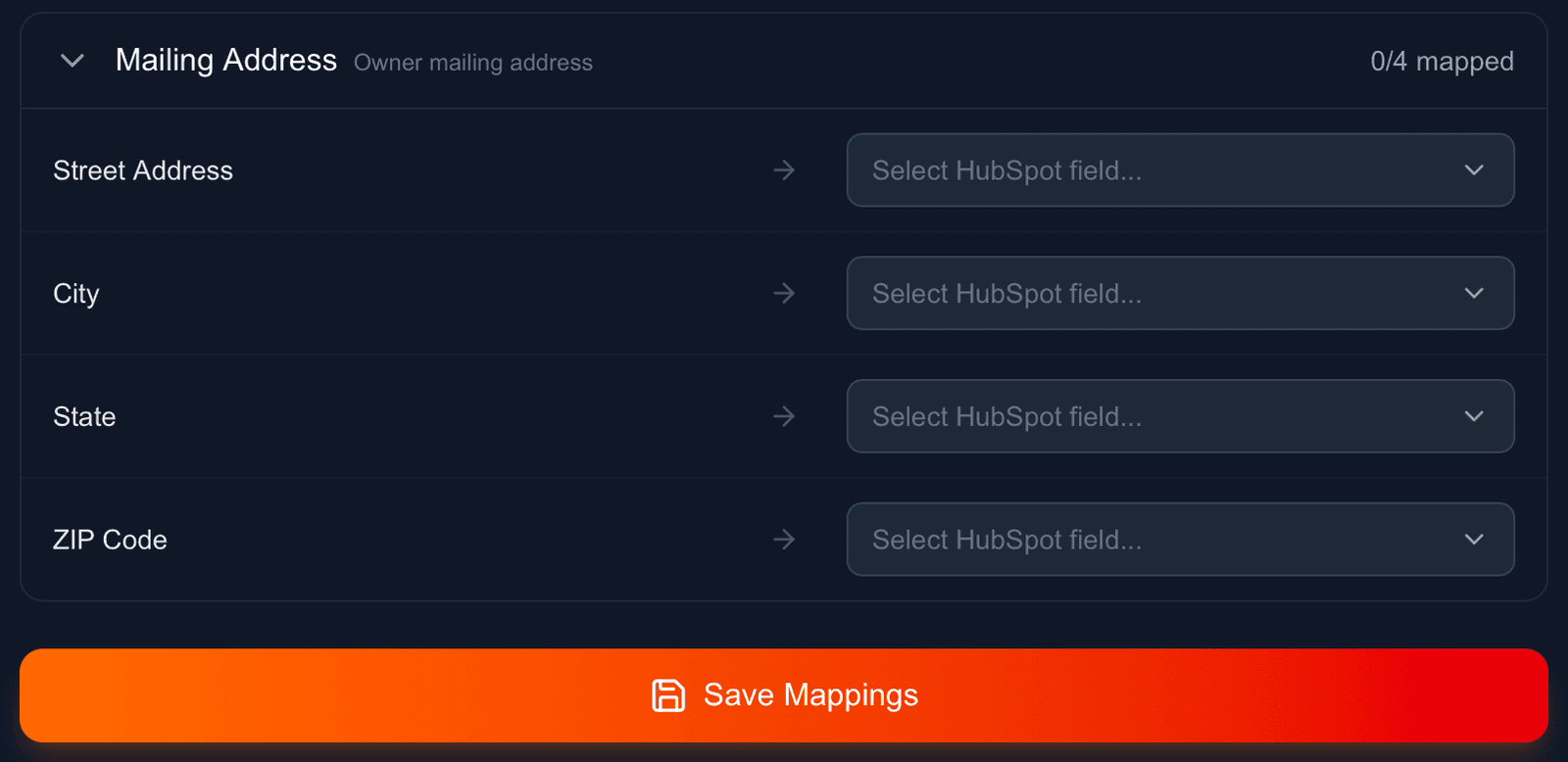
Field Mapping connects FirstLeads data, incident details like address and city, plus the owner’s mailing address for rental properties, to the actual properties in your HubSpot account, with a running count of mapped vs. unmapped fields. Save Mappings once and FirstLeads keeps the sync running automatically.
Works with
Be first on scene. Every time.
Book a demo of FirstLeads and get real-time fire and water damage incident alerts for your territory. No contract, no setup fees.
Frequently Asked Questions
Keep exploring
- The one-click export on every Contact tab
- Unlock and export from Slack threads
- Using a different CRM? Zapier covers it
See every connection on the FirstLeads integrations page.