
Features · Postcard Mailers
Putting a Postcard in Their Mailbox: Mailers
Not every homeowner answers an unknown number, but almost everyone checks their mailbox. Send a real, physical postcard to a lead’s address without leaving FirstLeads.
Quick Answer
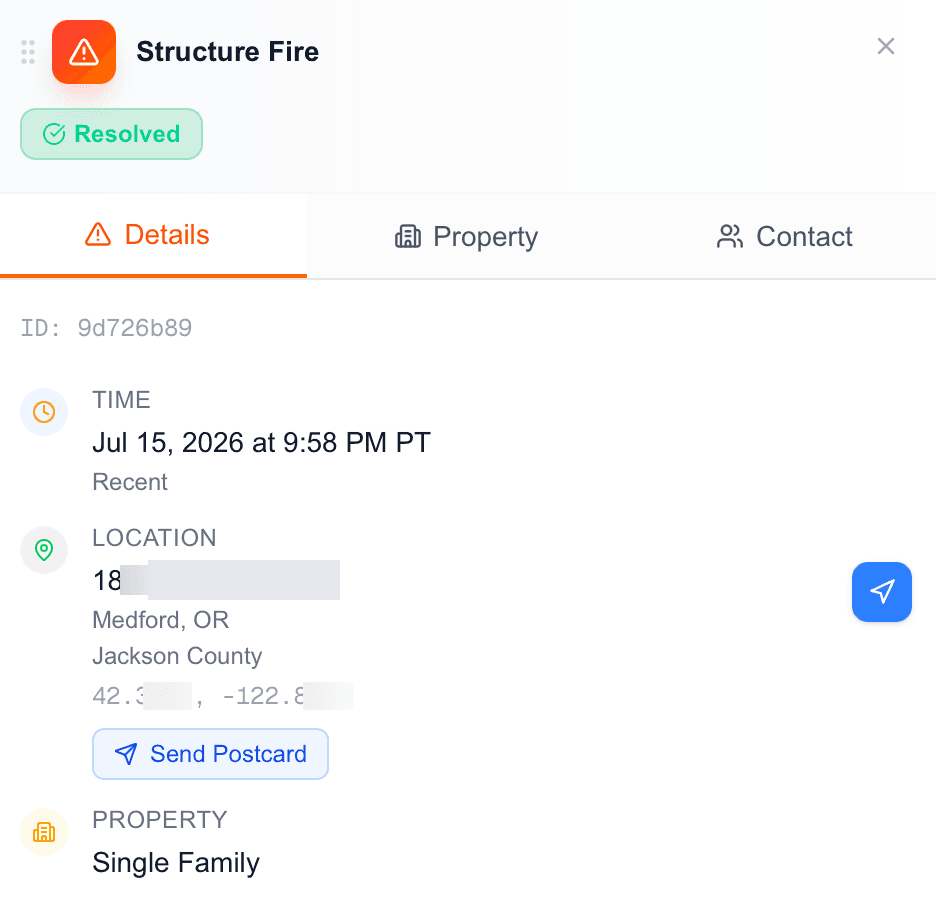
Mailers lives in two places: the left-hand navigation (send a postcard manually to any address) and the Send Postcard button on any incident’s Details tab, which opens the same panel pre-aimed at that lead’s address.
If an unlocked lead turns out to be a rental: the owner’s mailing address differs from the incident address, you will also find a Send Postcard button under the mailing address on the Property tab. That one pre-fills the owner’s address, so your postcard reaches the decision-maker rather than a unit they do not live in.
Building and sending a postcard
Pick your front and back templates
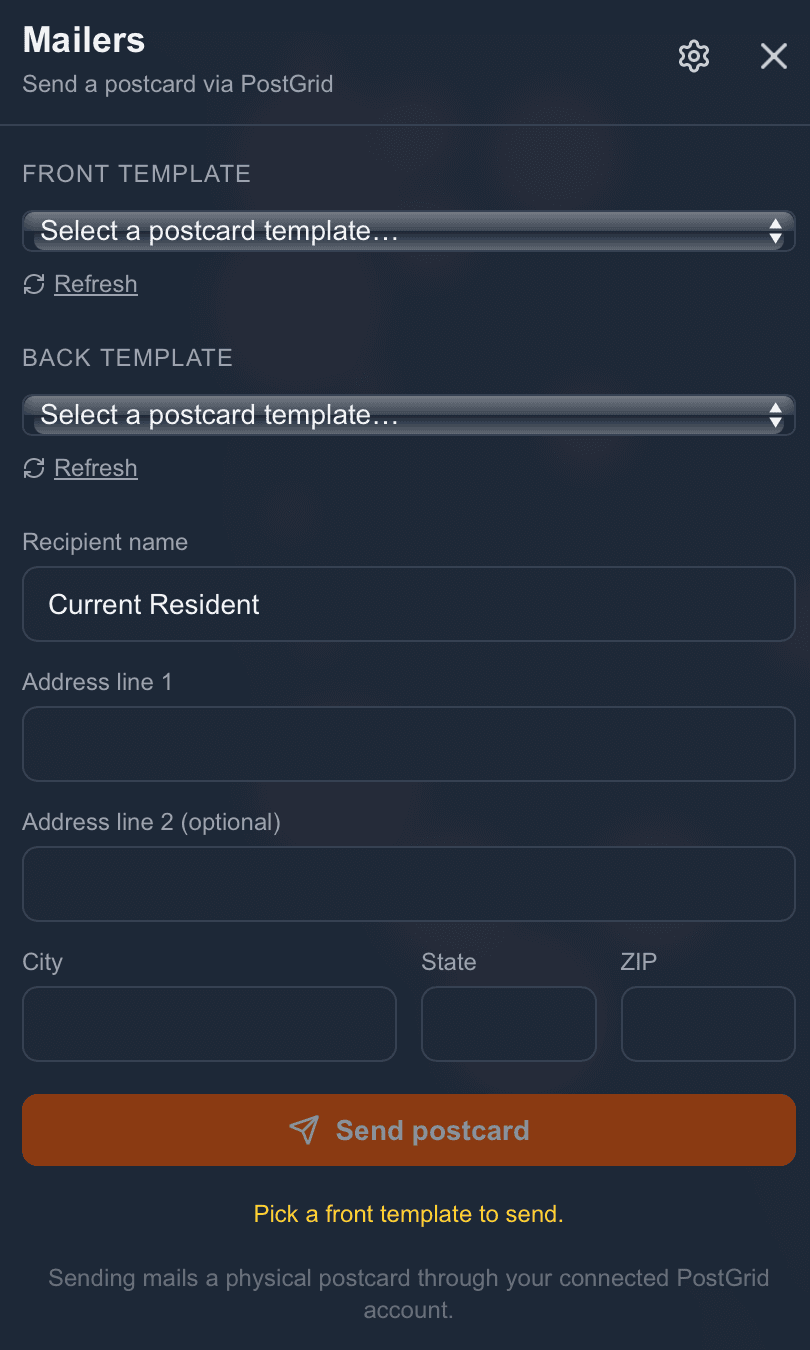
Select the design for each side from your saved templates. Just added a new template in your mailer account? Hit Refresh next to either dropdown to pull in the latest without leaving the page.
Set the recipient
Defaults to "Current Resident", a safe, ready-to-send option when you don’t have a confirmed name on file. If you unlocked the lead’s contact info, swap in the actual owner’s name.
Confirm the address
Address Line 1, optional Line 2, City, State, and ZIP. Sending from an incident? These arrive pre-filled with the property’s address, or the owner’s mailing address if you launched from the Property tab.
Send
Once a front template is selected and the address is complete, the Send postcard button lights up. Until then, a small prompt tells you exactly what is missing.
Be first on scene. Every time.
Book a demo of FirstLeads and get real-time fire and water damage incident alerts for your territory. No contract, no setup fees.
Frequently Asked Questions
Keep exploring
- Connecting your PostGrid account
- Where Send Postcard lives on a lead
- Trigger outreach the moment a lead lands
See everything the platform does on the FirstLeads features page.