
Features · Incident Lead Files
From Map Dot to Full Case File in One Click
Click any incident and FirstLeads hands you a complete case file, what happened, what the property is worth, and exactly how to reach the person who owns it.
Quick Answer
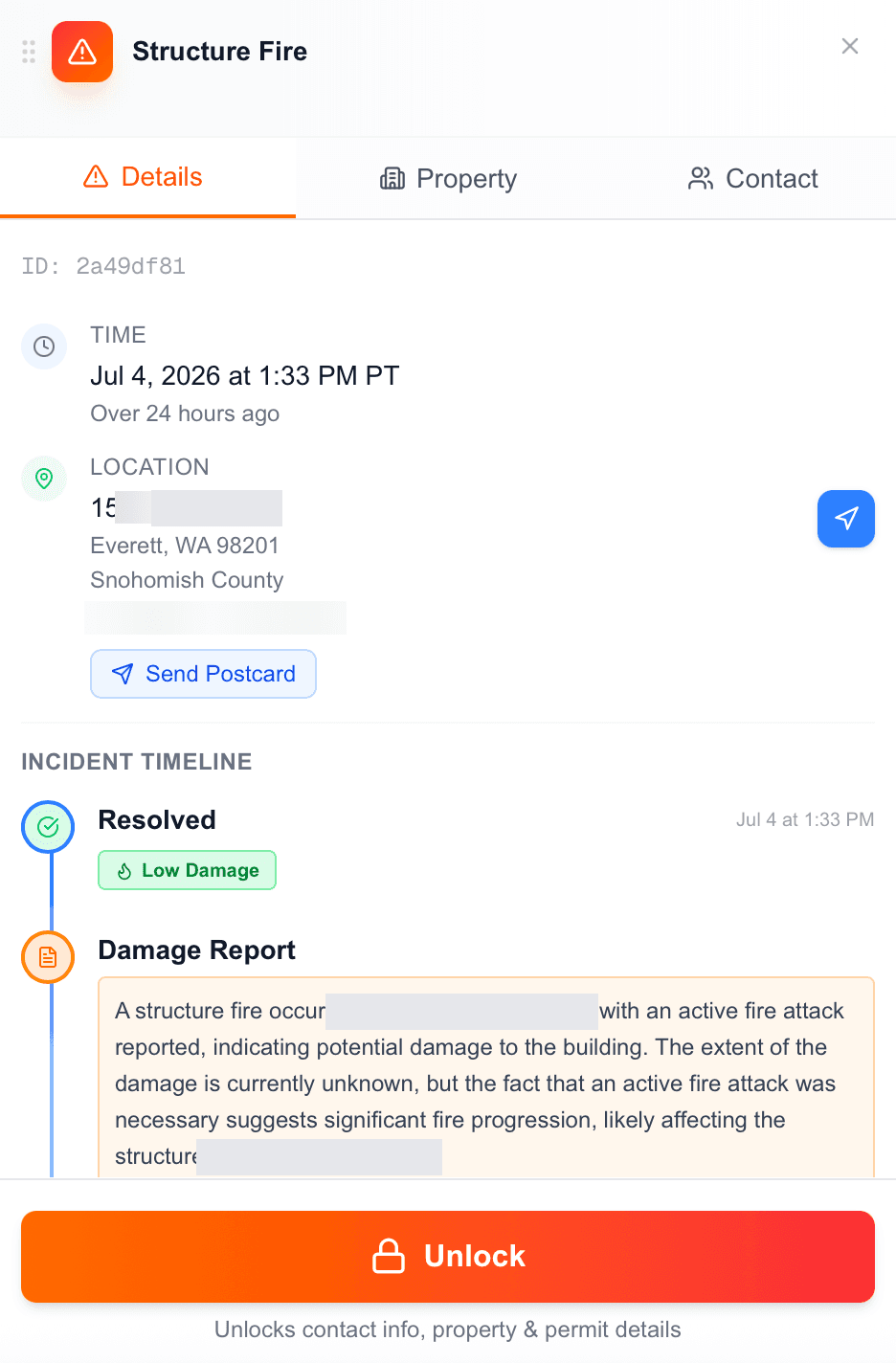
You have panned the map, zoomed into your territory, and spotted a red circle a few blocks from your last job. Click it, and the dashboard hands you a full case file on that incident, broken into three tabs: Details, Property, and Contact.
The Details tab gives you the basics up front: incident type, a unique incident ID, and the exact report time down to the minute, plus a plain-language note like "Over 24 hours ago" so you always know how fresh the lead is. Every incident is categorized by property type (Commercial, Multi-Family, Single Family Residence, Apartment/Condo), so you can gauge fit before you even unlock it.
What one unlock gets you
The incident timeline, straight from dispatch data
A chronological feed of the event: the initial call, units dispatched with counts and types, status updates, and the final resolution. Each incident carries a damage severity tag (Low, Medium, or Major), plus a written damage summary and an Active/Resolved status, so you can prioritize before spending an unlock.
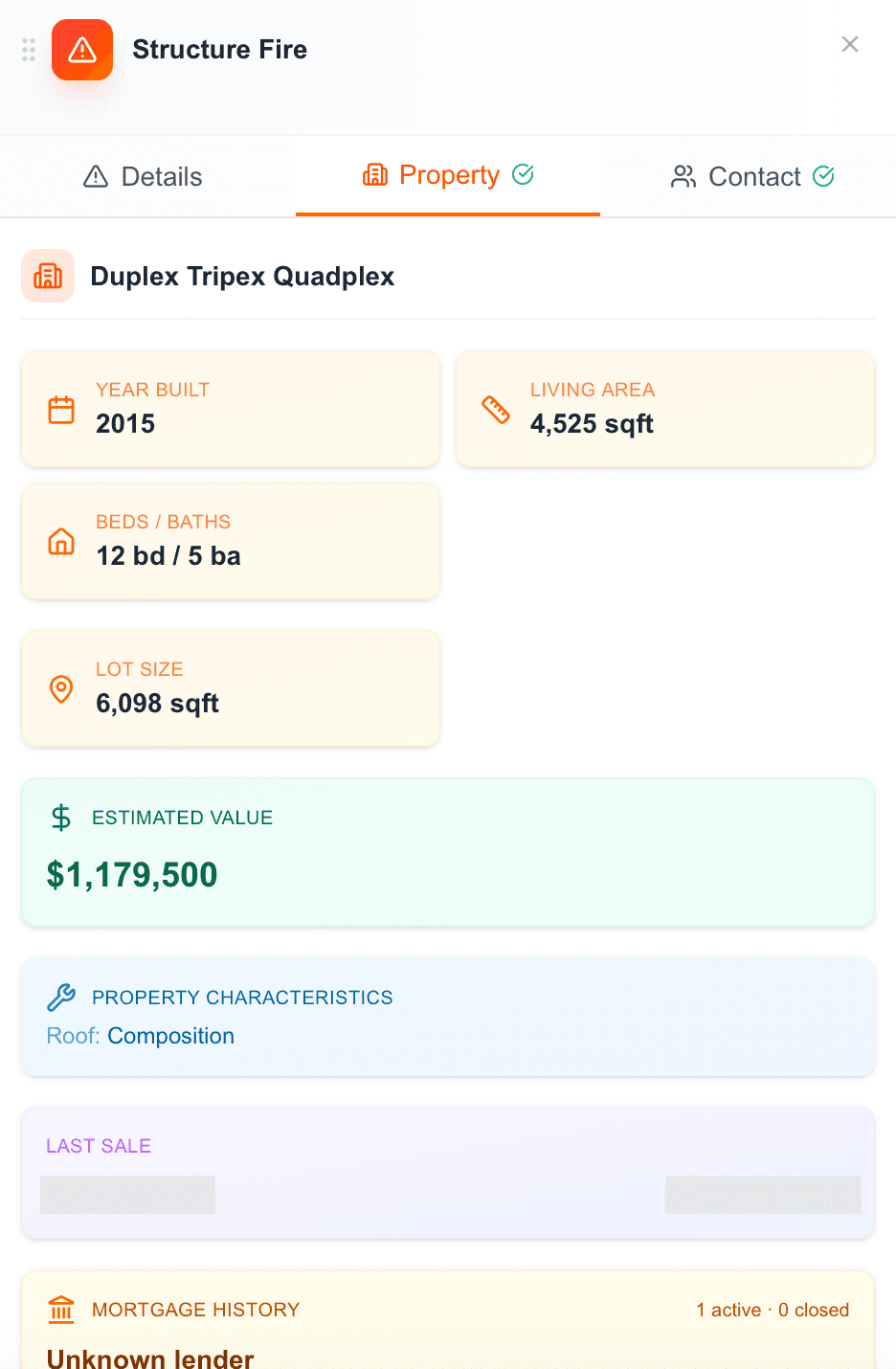
Property intel that reads like a title report
Year built, living area, beds/baths, lot size, estimated value, roof type, last sale, and a full mortgage history with active-vs-closed loans. Owner flags like High Equity, Free & Clear, Corporate Owned, and Owner Occupied tell you what kind of owner you are dealing with at a glance.
Spot the rentals, and reach the real decision-maker
If the owner’s mailing address differs from the incident address, that is a strong signal you are looking at a rental or investment property, and the mailing address is where the actual decision-maker lives. FirstLeads surfaces both, so you direct outreach at the owner instead of mailing a unit they do not live in.
Contact data scored for reliability
The Contact tab lists the owner’s phone numbers and emails, each tagged with line type, carrier, a reliability score out of 100, and a last-reported date. Numbers on the Do Not Call registry are flagged in red and known-litigator numbers carry a warning icon: compliance signals before you ever dial. For multi-family properties, owner and resident contacts are listed separately.
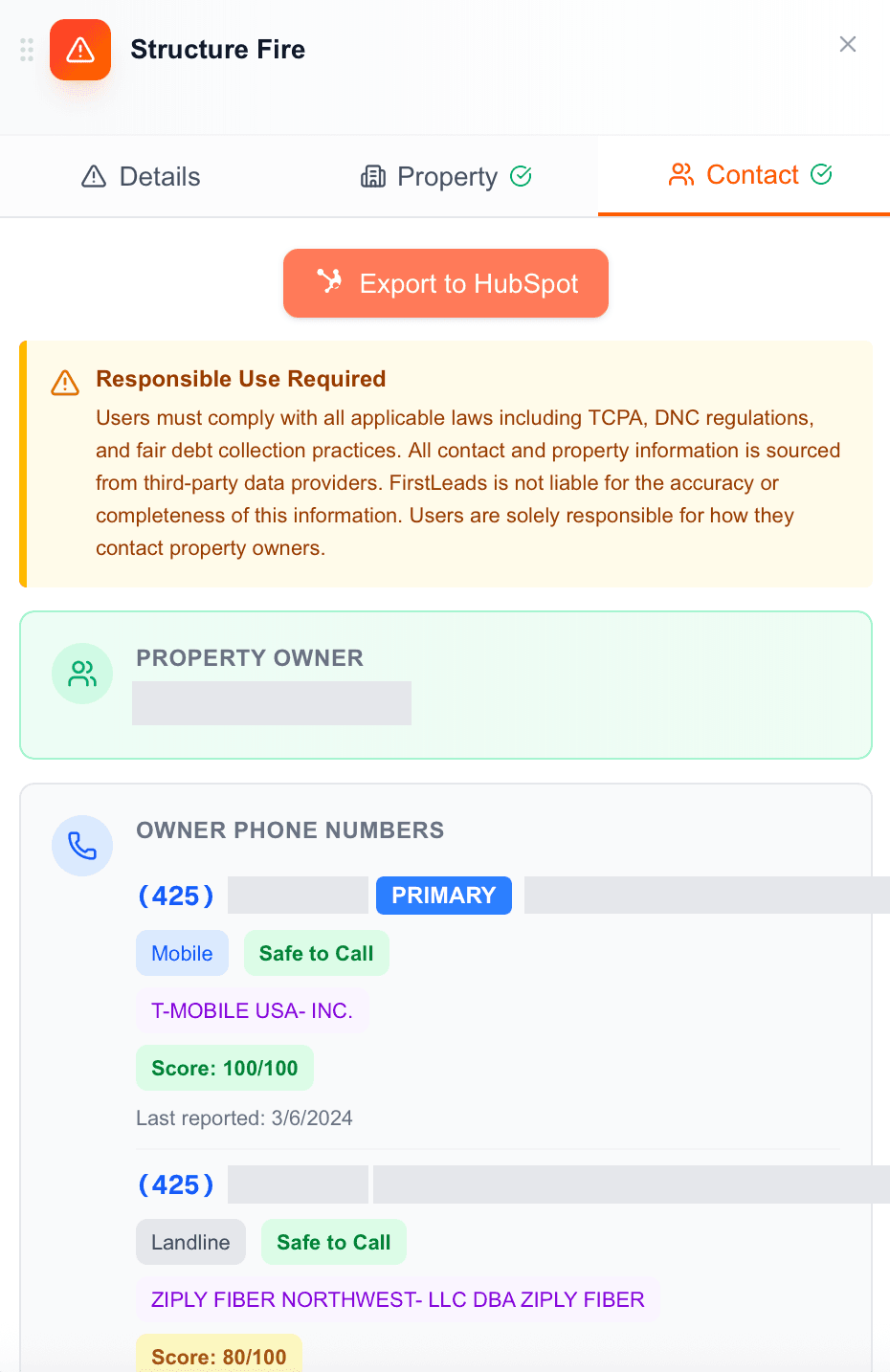
Push it straight to your CRM
Export the entire contact record to HubSpot in one click, no manual data entry, no copy-paste, straight into your pipeline.
Be first on scene. Every time.
Book a demo of FirstLeads and get real-time fire and water damage incident alerts for your territory. No contract, no setup fees.
Frequently Asked Questions
Keep exploring
- The live fire incident map
- Look up any address, no incident required
- One-click export to HubSpot
- Send a postcard straight from the incident
See everything the platform does on the FirstLeads features page.