
Features · Incident Filters
Dial In Your Territory: The Incidents Filter Panel
The map is great for a bird’s-eye view, but once you know your territory, filters take you straight to the leads you are set up to work.
Quick Answer
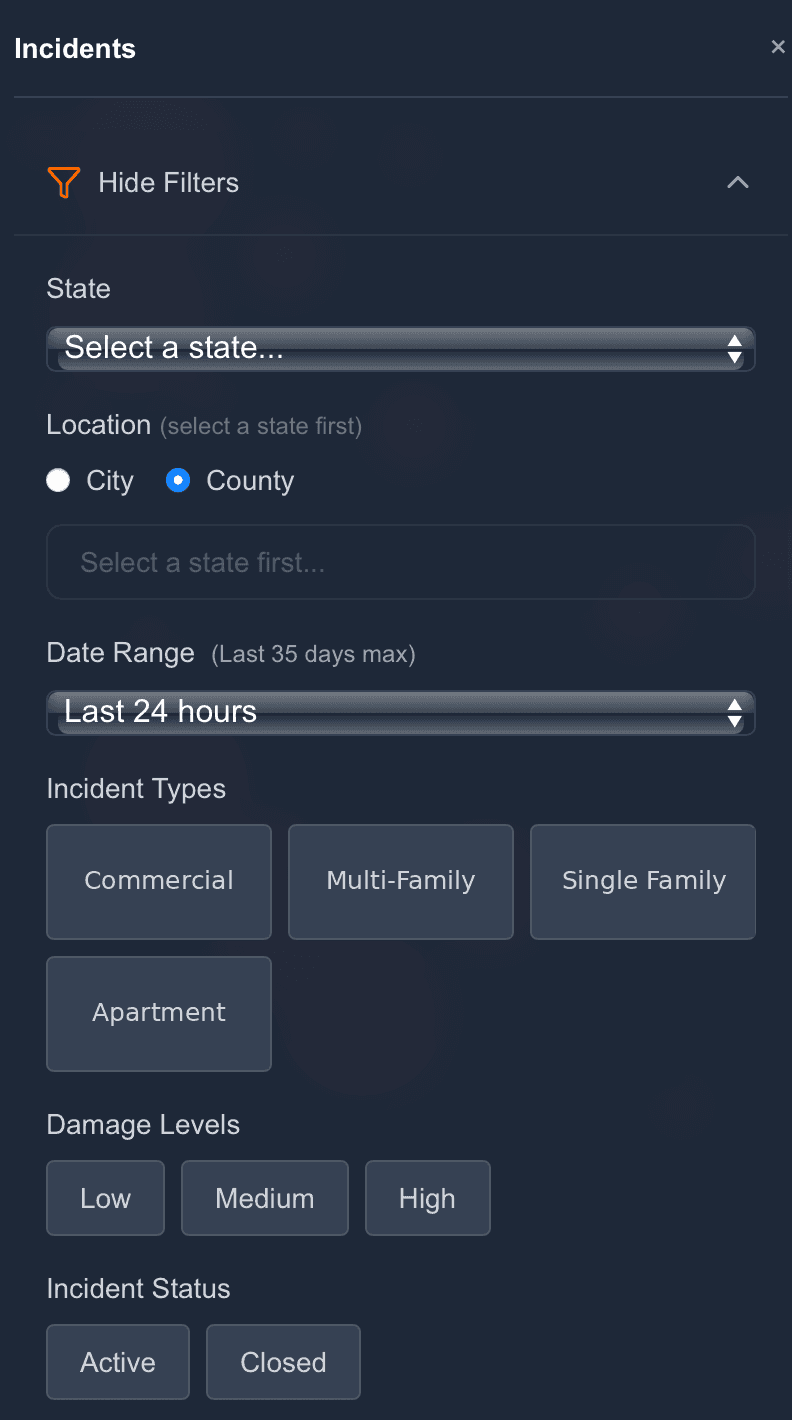
You will find the Incidents panel in the left-hand navigation. It opens a dedicated filter panel above a live, scrollable list of results, so instead of scrolling past incidents in other states, you see exactly the pool of leads that matches how you work.
Mix and match as many filters as you like: say, single-family fires in your two home counties from the last 7 days at Medium or High damage, and the results update to match, with a running count at the top so you always know the size of the pool.
Build your search in five filters
Geography first
Pick a state, then narrow by city or county. Multi-county search pulls incidents across several counties at once; single-city search drills to one working radius.
Date range
Look back 24 hours, 3, 7, 14, 21, or 35 days, 35 days being the maximum lookback window. Fresh-first is the default posture.
Property type
Commercial, Multi-Family, Single Family Residence, or Apartment/Condo, focus on the property types your business is built for.
Damage level and status
Filter by severity (Low, Medium, High) to chase the incidents most likely to become real jobs, and by status (Active or Closed) to decide whether you want unfolding scenes or resolved incidents ready for outreach.
Work the results
Each list entry shows type, city and state, time since report, and either an Evaluating tag while damage is still being assessed or a severity badge once it is ready. Click through and unlock exactly like you would from the map.
Be first on scene. Every time.
Book a demo of FirstLeads and get real-time fire and water damage incident alerts for your territory. No contract, no setup fees.
Frequently Asked Questions
Keep exploring
See everything the platform does on the FirstLeads features page.