
 Integrations · Slack
Real-Time Fire Alerts Where Your Team Already Works
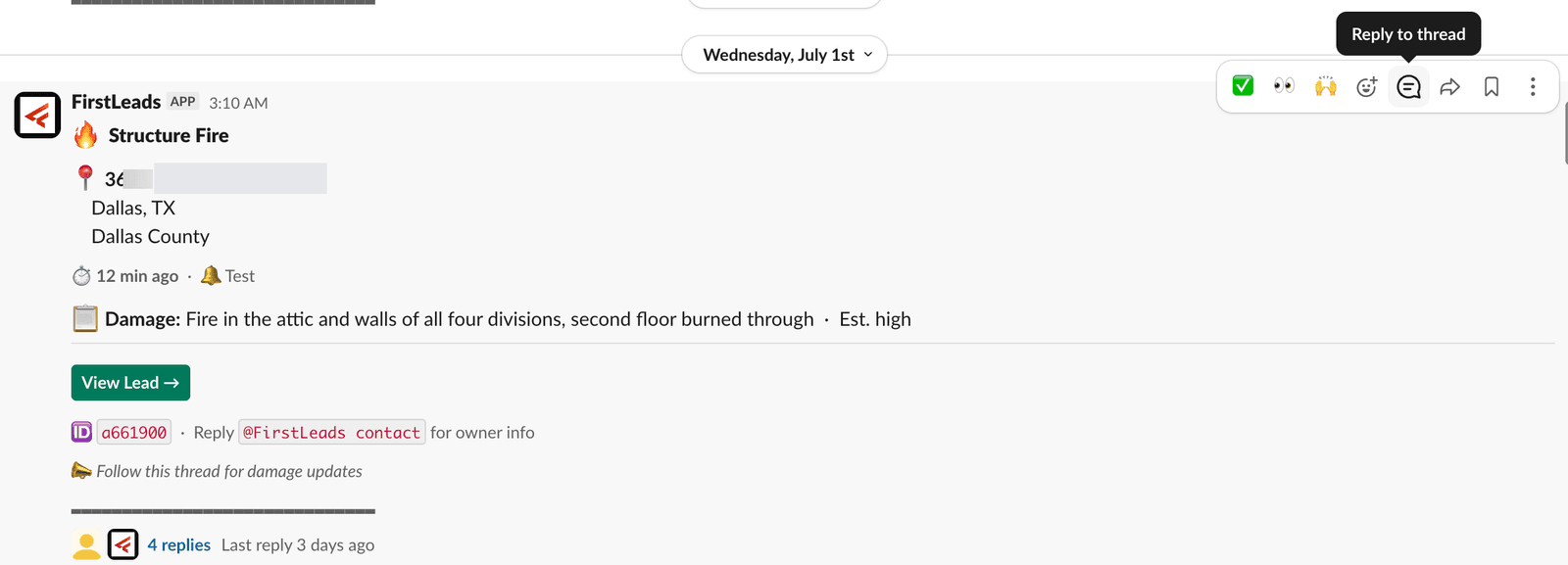
If your team lives in Slack, set this up first. It turns Slack into a live feed of fire incidents, complete with in-thread lead unlocking and HubSpot export, all without leaving the app.
Quick Answer
Slack is one of the most popular FirstLeads connections, and for good reason: alerts arrive as native Slack push notifications, so reps get real-time pings on their phone the moment a new incident matches, and follow-up updates as damage assessments develop. It turns fire incident monitoring into something your team keeps up with passively, from their pocket, which is a big part of why it is a favorite among restoration companies, public adjusters, and wholesalers.
You will need a Slack workspace and an active FirstLeads subscription. From there, setup is three steps.
Setting up Slack alerts
Connect Slack to FirstLeads
Go to Settings → Integrations, find Slack in the list, and click Connect. Sign into your Slack workspace to authorize the sync.
Build your alerts
Head to Alerts and create alerts that post directly into Slack. A common setup: one Slack channel per county or territory, with a matching alert for each, incidents in a given area land in the channel the right team already watches.
Assign your team
Many teams assign specific reps to each territory channel, so the right person owns outreach the moment a lead comes in, and gets the push notification on their phone while traveling or juggling other work.
Work the lead without leaving Slack
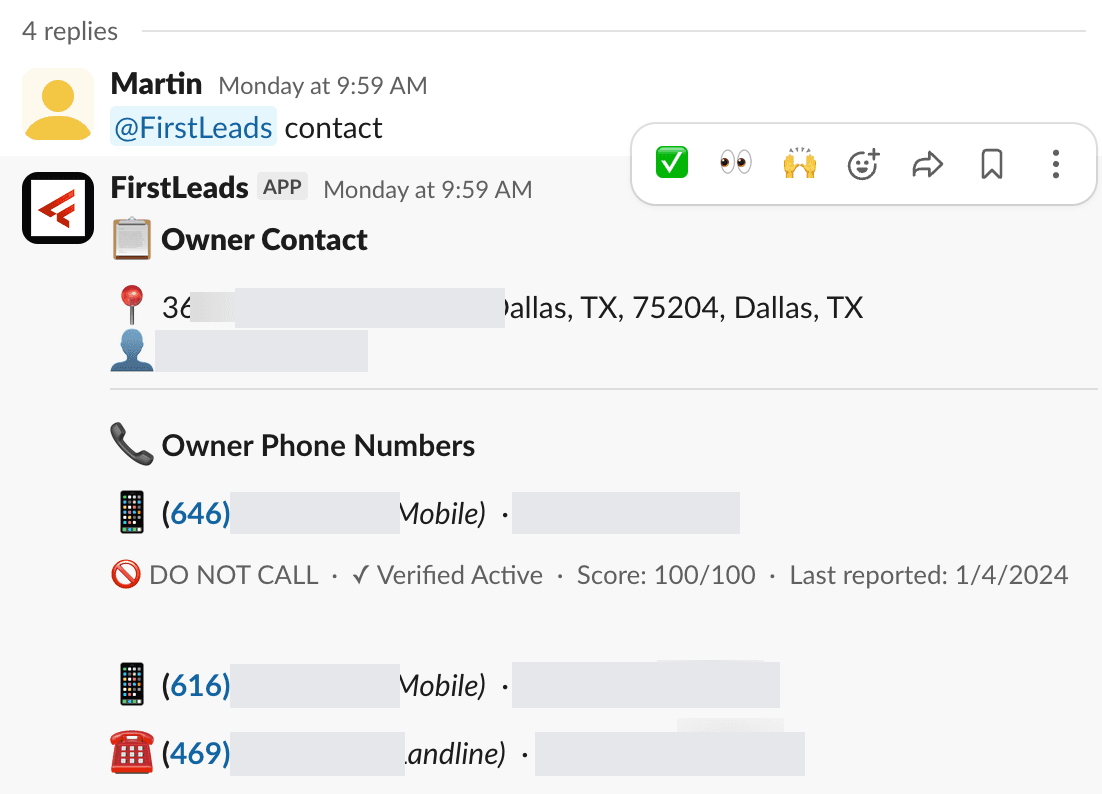
Reply in the thread to follow damage updates over time. Type @FirstLeads contact to have the bot unlock and post the owner’s contact information, @FirstLeads property for full property and permit details, or @FirstLeads help for every command. Once unlocked, the incident details and your team’s notes can export straight into HubSpot.
Works with
Be first on scene. Every time.
Book a demo of FirstLeads and get real-time fire and water damage incident alerts for your territory. No contract, no setup fees.
Frequently Asked Questions
Keep exploring
- Building alerts by geography, type, and damage level
- Exporting unlocked leads to HubSpot
- SMS alerts, if your team is not on Slack
See every connection on the FirstLeads integrations page.